Security Cameras Without a Subscription (2026): What to Buy
Security cameras without a subscription cost $30–$200 each and record to local storage. See which systems keep working with no monthly fee, and the trade-offs.
Pros
- No monthly fee — records to a microSD card or an NVR you own
- 4K solar-powered outdoor unit needs no wiring
- Local footage keeps working if the internet drops
Cons
- You manage storage and backups yourself
- Remote viewing still needs an internet connection
- On-device AI features vary by model
| Product | Price | Rating | Highlights |
|---|---|---|---|
| $129.99 | 4.4 / 5 |
| |
| $249.99 | 4.0 / 5 |
| |
| $1,259.99 | 4.4 / 5 |
|
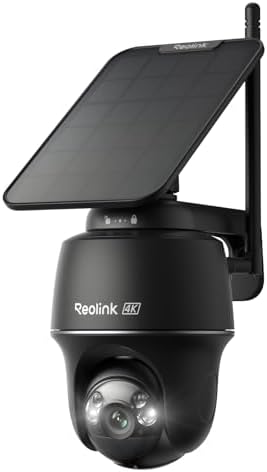
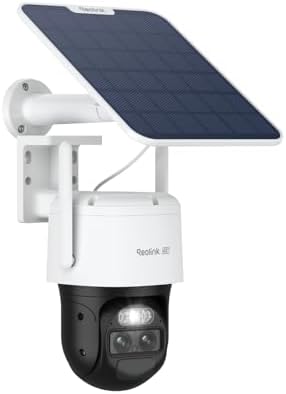
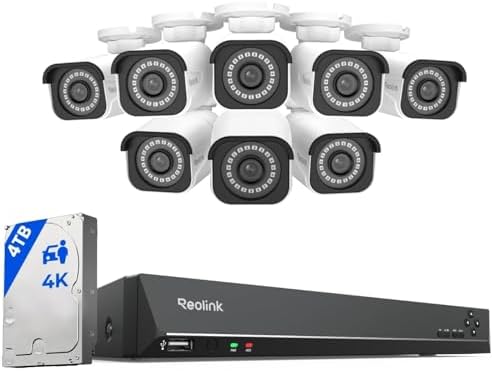
Security cameras without a subscription cost $30–$200 each, and they record to a microSD card, a local NVR, or a NAS that you own. There is no monthly fee at all, and the footage keeps recording if your internet drops — which is exactly when you most want it working.
The trade-off is honest: you manage storage and backups yourself, and some of the smarter notification features sit behind a paid tier on other brands. If you want zero ongoing cost and to own your footage, a local-recording system is the right answer.
Independent guide. We may earn a commission from links on this page.
How no-subscription cameras actually work
Three storage paths, and they differ in cost and resilience:
| Storage | Cost | Best for |
|---|---|---|
| microSD in the camera | $10–$40 card | One or two cameras, simple setups |
| Local NVR / DVR | $60–$200 + drive | Four or more cameras, whole property |
| NAS (your own) | $200+ | Households that already run a NAS |
All three keep the footage on hardware you control. None of them charges a monthly fee. The NVR route is the one most multi-camera homes settle on, because it centralises storage and survives one camera being knocked off a wall.
What you give up
Being straight about this is more useful than pretending local storage is free of compromises.
- Cloud backup. If a camera is destroyed or stolen, any footage on its card goes with it. An NVR in a locked cabinet, or an off-site copy, mitigates this.
- AI-heavy notifications. Person, vehicle and package detection is free on-device on some models and subscription-only on others. Read the spec, because this is where the tiers divide.
- Convenience. Cloud plans handle retention, firmware, and sharing for you. With local storage you do that.
- Cellular failover. If your internet is cut as part of a break-in, Wi-Fi cameras stop reporting. A cellular or local-alarm setup addresses that, at extra cost.
None of these makes local storage a bad choice. They are the reasons a cloud plan exists, and you should pick knowing which of them you actually care about.
Cost over three years
This is the comparison that matters, and it is where the subscription adds up.
| No subscription | Cloud plan | |
|---|---|---|
| 4 cameras | $300–$700 | $300–$700 |
| Recorder / storage | $60–$200 | $0 |
| Monthly fee | $0 | $3–$15 per camera |
| 3-year total | $360–$900 | $730–$2,860 |
At four cameras, a cloud plan at $10 per camera adds $1,440 over three years — more than the hardware cost. That is the entire argument for local storage in one line.
What to look for when buying
- Local storage as a first-class feature, not an afterthought. Check the maximum microSD size, or that an NVR is available for the model.
- On-device person detection, if you want smart alerts without paying. This is the feature most often moved behind a subscription.
- Power method that suits the location. Battery and solar units go anywhere; PoE units need a cable but never need charging and are the most reliable.
- Resolution matched to distance. 2K is plenty for a door at 10 feet; 4K helps at 40 feet. Do not pay for 4K you cannot use.
- A real app for remote view. All mainstream brands have one; check recent reviews for reliability.
- Retention you can afford. A bigger card or drive lengthens history. Plan for at least two weeks of motion events.
Where local recording wins, and where it does not
It wins when: you have several cameras and would rather spend once; your internet is unreliable; you want footage to survive a cut line; you dislike recurring charges; or you are covering a rural or remote property.
It is weaker when: you want footage stored safely off-site with no effort; you need advanced AI detection without a hardware upgrade; you are covering a site where the recorder itself could be stolen; or you want a managed service that handles everything.
A practical middle ground many households choose: local recording as the primary, with an off-site copy of only the critical clips. That keeps the subscription cost near zero while covering the destroyed-hardware case.
Installation considerations
- Wire-free (battery/solar) installs in minutes anywhere with Wi-Fi signal. Budget for recharging or a solar panel.
- PoE cameras need one Ethernet cable each, which is the most reliable option but may mean running cable. See what security camera installation costs if you hire it out.
- Placement matters more than resolution. Our placement guide covers the height and angle rules that decide whether footage is ever usable.
Common mistakes
- Assuming all cameras have local storage. Some are cloud-only by design. Check before buying.
- Buying a card that is too small. A month of motion events needs far more than the 32 GB card people grab by default.
- Leaving the NVR in plain sight. It is the one part of the system worth stealing.
- Skipping the backup. Local storage with no off-site copy is a single point of failure.
- Paying for 4K on a close-up door. 2K identifies faces at door distance perfectly well.
- Forgetting the internet dependency for remote view. Recording is local, but seeing it away from home is not.
Bottom line
Security cameras without a subscription cost $30–$200 each and record to storage you own, with no monthly fee. Add $60–$200 for a recorder and a drive. Over three years at four cameras, that saves roughly $1,400 against a cloud plan.
Accept the actual trade-off: you handle storage and backups, and off-site copies are your job rather than the vendor’s. For most households with more than two cameras, that is a straightforward win. For the wider picture, see our security camera system guide and wireless outdoor picks.