Best Self-Emptying Robot Vacuums (2026): Never Empty the Bin Again
The best self-emptying robot vacuums for 2026 — flagship and premium picks with base stations, compared on dock automation, suction, and value.
Pros
- Empty the base every 1–3 months, not the robot daily
- Best-in-class obstacle avoidance and suction
- Often bundles mop washing too
Cons
- The dock takes floor space and costs more
- Overkill for small, simple homes
| Product | Price | Rating | Highlights |
|---|---|---|---|
| $1,599.99 | 4.2 / 5 |
| |
| $1,699.99 | 4.3 / 5 |
| |
| $1,399.99 | 4.4 / 5 |
| |
| $999.99 | 4.2 / 5 |
|
A self-emptying dock is the single biggest quality-of-life upgrade you can buy for a robot vacuum. Instead of emptying a dustbin every few days, you empty a base station every few weeks — or every couple of months on the largest models. Here are the ones worth it.
Prices from the Amazon product feed, checked October 2026. Confirm current price on the listing.
How we picked
We compared dock capacity (days between empties), mop handling (does it wash the mop or just the bin?), suction, obstacle avoidance, and value relative to the next model up.
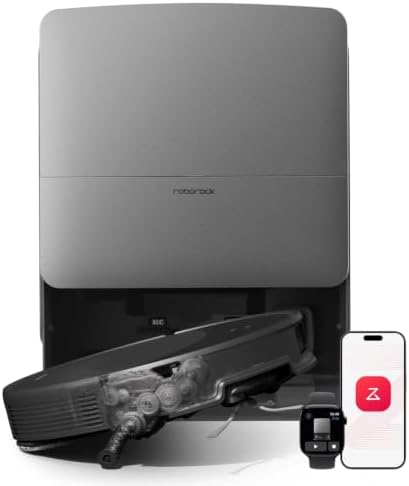
Best overall: roborock Saros 20
The roborock Saros 20 is the do-everything pick: 36,000 Pa suction, hot-water mop washing, and obstacle avoidance that handles 300+ object classes. It is the safest flagship if you want the least hands-on time.
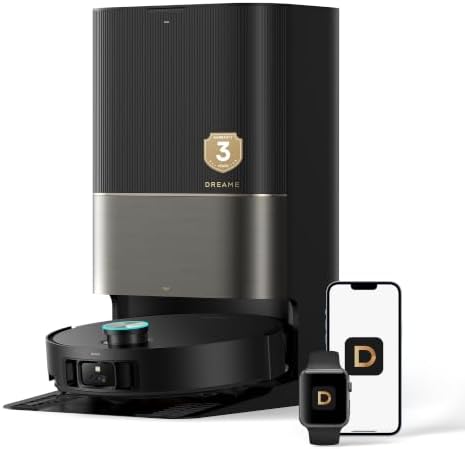
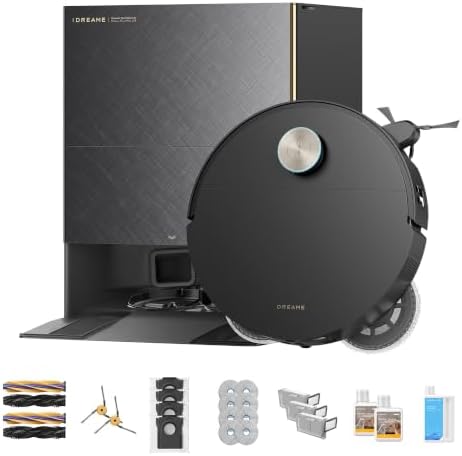
Best value flagship: dreame X50 Ultra
The dreame X50 Ultra gives you auto-empty, mop washing, and a retractable LiDAR tower for around $1,000 — the point where flagship features start to make sense.
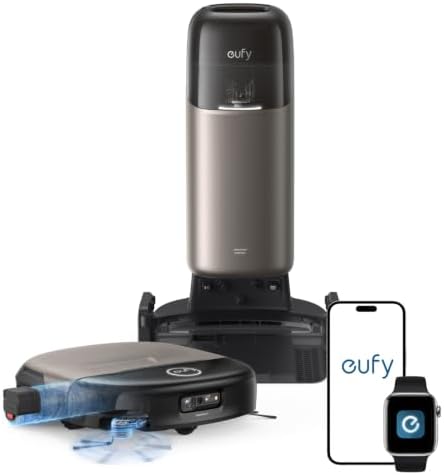
Best-rated: eufy Omni S2
The eufy Omni S2 carries the highest owner rating in our catalog, with a 68-day self-empty base and real-time mop self-cleaning.
Before you blame the dock
Most “stopped” issues are physical, not electrical — see why your robot vacuum keeps stopping and the maintenance routine.
Bottom line
If you simply want to stop emptying a bin, any of these will do it. Best value is the dreame X50 Ultra; best everything is the roborock Saros 20. For mixed floors, pair either with the mop combos guide.
What a self-emptying dock actually does
A self-emptying dock holds a sealed bag (or a secondary bin) that the robot empties itself into after each run. Instead of pulling debris out of the robot every day, you replace a bag every 30–60 days depending on traffic and pet hair.
Two things determine how useful that is:
- Bag capacity. Bigger bags mean less frequent changes. Pet homes fill bags faster.
- Whether the dock also washes the mop. A self-wash dock adds pad cleaning and drying, which removes the second-most-annoying chore.
The feature is not a gimmick. It is the difference between a robot you run daily and one you abandon because emptying it is unpleasant.
Self-empty vs. self-wash: which do you need?
| Dock type | Does what | Who needs it |
|---|---|---|
| Standard | Charges the robot | Bare floors, no pets |
| Self-empty | Empties the bin into a bag | Pet hair, heavy dust |
| Self-empty + self-wash | Also washes and dries the mop | Homes with mopping |
If you have hard floors and use mopping, the self-wash dock removes a real chore. If you only vacuum, self-empty alone is the feature that matters.
What to look for
1. Dock seal quality. A poor seal leaks dust back into the air during emptying. This matters if anyone has allergies.
2. Bag vs. bagless base. Bags are cleaner to change; bagless bases need emptying but avoid consumables.
3. Robot bin size. A larger onboard bin means fewer trips to the dock within a run.
4. Navigation and mapping. The dock only helps if the robot completes its runs. LiDAR mapping and reliable obstacle avoidance matter more as the home gets bigger.
5. Brush design. A rubber anti-tangle brush keeps long hair from stalling the robot — essential with pets.
How much space does a dock need?
Self-empty docks are significantly larger than a simple charging base:
- Clearance in front for the robot to dock (check the manual — often 20+ inches).
- Headroom if the dock opens upward for bag changes.
- A power outlet within reach.
- A level surface — docks misbehave on uneven floors.
Measure before buying. A dock that does not fit where you planned to put it is a common and avoidable disappointment.
Running costs
| Item | Typical |
|---|---|
| Replacement bags | $15–$40 for a multi-pack, every 1–2 months |
| Filters | $10–$30, every 1–3 months |
| Brush replacement | $15–$40, every 6–12 months |
| Electricity | A few dollars a year |
Budget roughly $50–$120 per year in consumables for a self-empty system. That is the trade for not emptying a bin daily.
Maintenance of the dock itself
The dock is not maintenance-free — it just moves the maintenance to a less frequent task:
- Replace the bag when indicated (do not overfill).
- Wipe the dock’s charging contacts so the robot charges reliably.
- Clean the base’s air path if you notice reduced emptying suction.
- Wash and dry the mop pads (on self-wash docks) as directed.
- Check for blockages where the robot’s bin meets the dock.
See our cleaning routine for the full schedule.
Common mistakes
- Buying self-empty when you needed self-wash (or vice versa).
- Not measuring dock clearance before purchase.
- Using third-party bags that don’t seal, causing dust blowback.
- Ignoring the dock’s own maintenance until emptying stops working.
- Assuming the dock removes all maintenance — you still clear brushes and filters.
FAQ
Is a self-emptying robot vacuum worth it? If you have pets, allergies, or a large home, yes — it keeps the robot running daily instead of becoming a chore. For a small, pet-free apartment, the extra cost is harder to justify.
How often do you change the bag? Typically every 30–60 days. Pet homes and heavy-shed seasons are at the short end.
Can self-empty docks use bags you buy cheaply? Technically, but poorly sealing third-party bags can leak dust. Prefer the manufacturer’s bags or a well-reviewed equivalent.
Do self-empty docks work with mopping? Yes, but only models with a self-wash dock also clean the mop. Check which “self-empty” features a model actually includes.
Do I still need to clean the robot? Yes — brushes, filters, and sensors still need attention. The dock removes bin emptying, not maintenance entirely.
Self-empty vs. a standard dock: the honest math
A self-emptying dock costs $150–$400 more than a basic charging base. Is that worth it?
You save: emptying the bin daily (or every other day). For a pet home, that is a genuine recurring chore.
You pay: higher upfront cost, plus replacement bags at $15–$40 every 1–2 months.
Break-even thinking:
- If you run the robot daily, the convenience is real and the feature pays for itself in use.
- If you run it weekly, you will empty the bin anyway between runs, and the dock adds little.
The feature is not about saving money — it is about removing the friction that makes people stop using the robot. A robot you run daily cleans far more than a better robot you run monthly.
Which dock tier fits your home
| Home | Recommended dock |
|---|---|
| Studio, hard floors, no pets | Basic charging base |
| One pet, some carpet | Self-empty |
| Pets + mopping | Self-empty + self-wash |
| Multiple pets, large home | Self-wash, largest bag capacity |
Spending above your needs buys bags you change less often and a feature you may not use. Spending below your needs means the robot becomes a chore again.
Noise: the forgotten spec
Self-emptying docks are louder than the robot itself during the emptying cycle — the base uses strong suction to pull debris from the bin into the bag. Typical emptying runs a few seconds but can be noticeably loud.
If the dock sits near a bedroom or a home office, consider:
- Where the dock lives — a utility room or hallway is better than beside a bed.
- When it empties — most run after a scheduled clean, which you can time.
- Whether the model has a quiet mode.
The robot’s cleaning noise is usually lower than the dock’s emptying noise, so do not assume a “quiet robot” means a quiet system.
Product gallery
Images: manufacturer / retailer product shots. Source: product datafeed.